First launch
Give one favorite car its own impossible scene.
$9.90USD · 1 video$9.90 per video
Give the morning commute an impossible shortcut. Put your driver and car into a city scene that lifts straight out of the queue.
Fixed reference · Your generation follows this scene using your uploaded photos.
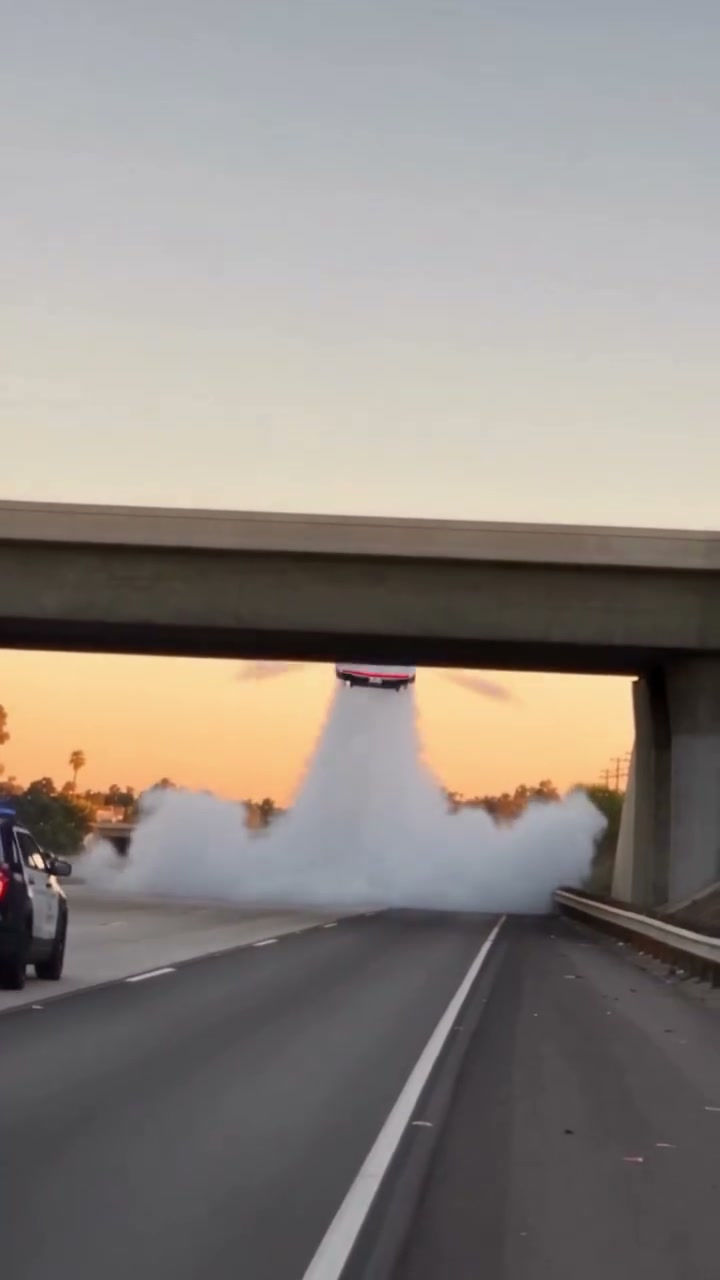
Roadster Traffic Escape uses an instantly readable setup: a driver, a city queue and nowhere to go. The car takes the unexpected route into the air, then the camera returns to the cabin. That return gives the driver a visible reaction instead of leaving the whole story outside the vehicle. Two separate photos let you choose the person and car independently. The city street, surrounding traffic, props, shot sequence and takeoff are already defined by the reference. Watch the preview to understand the exact scene before preparing your subjects; this page does not offer a new city, route or script.
Upload one portrait in Driver photo. A clear face and visible clothes help establish the person during the interior shots. You do not have to hold a coffee cup or sit in a vehicle for the source photo. The reference supplies its own props and actions, including the moments that frame the takeoff.
Add a separate image in Car photo. Show the whole car and wheels, ideally with a visible front and side. Keep other cars and large obstructions out of the subject area. The main car changes according to this reference; the surrounding traffic continues to belong to the prepared street scene.
Follow the request in My creations and review all of the resulting shots. The city launch and cabin reaction should read as the same driver traveling in the same car. The transition back inside is as important as the airborne moment when deciding whether to download and share.
The three clips below illustrate different subjects within this concept. They are supplied community examples, with no verified generation on this new domain. The studio uses the fixed reference above.
The cream-outfit example places a clear character against the bright city background and cabin. Its coffee-cup moment gives the flight a human reaction. For your Roadster Traffic Escape, choose a portrait where face, hair and clothes are easy to distinguish. Those features give the viewer something to follow when the scene returns inside after the vehicle rises.
The portrait supplies appearance while the reference supplies action. You do not need to stage a photograph that exactly matches the preview pose or collect a separate interior image. A normal portrait can be paired with a vehicle photograph taken elsewhere. Each field has one role, so a group portrait or a collage of several possible drivers adds ambiguity without adding supported characters.
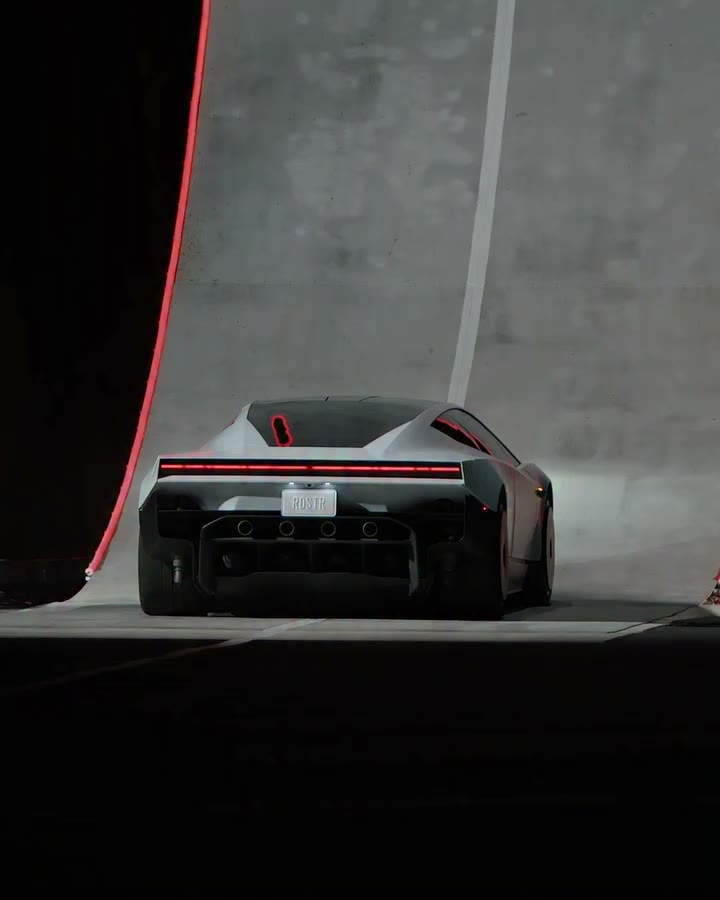
This separation is useful for a fictional commuting joke or a personal automotive concept. The car need not be the sports car shown in the source. A recognizable everyday vehicle can make the impossible shortcut feel more personal. Its shape still has to remain coherent as the view changes, and a single photo cannot specify every hidden panel or interior detail.
The cream-outfit clip is a supplied community variation. It illustrates how a character can read within the scene, but it does not establish that Roadster AI has produced an identical result. The reference preview and community examples remain separate from a completed request using your photos. Judge your own result only after it has been generated and inspected.
The black-outfit variation shifts the character styling while preserving the city-to-cabin rhythm. Roadster Traffic Escape gives the selected person and vehicle the starring roles, with the street and surrounding traffic retained. It has no additional uploads for a bus, another driver or a passenger. That helps keep the concept focused on a single car leaving an ordinary queue.
The airborne movement provides a short, clear payoff. It can work as a reaction to a long commute, a playful post for a car enthusiast, or a fictional escape from an everyday delay. Your social caption can provide context outside the video. The form does not add typed captions to the scene, so do not expect a text overlay just because you describe one elsewhere.
When choosing the vehicle photo, think about what will remain visible in motion. Body color, overall outline and wheels are useful recognition cues. Tiny lettering, dashboard displays and badges are less reliable. The generator may infer unseen surfaces, and reflections can change how the body reads against the city. Review the exterior launch instead of relying only on a parked-car resemblance.
The Roadster Traffic Escape scene is an AI video concept. Its title and fictional flight should not be treated as a technical statement about a real Tesla Roadster or the replacement vehicle. Roadster AI is not affiliated with Tesla. This site offers no vehicle reservations or automotive performance claims; the template is a creative way to put your subjects into an impossible situation.
The pink-outfit example makes the driver easy to spot across the street, takeoff and interior shots. That continuity is especially useful in a compact clip: there is little time to reintroduce the person after every cut. A strong, simple clothing color can help your Roadster Traffic Escape communicate its cast without depending on small facial details in every frame.
The selected reference runs about thirteen seconds in a 9:16 frame. The current output configuration is 480p, and the scene includes restoration of the reference soundtrack. It does not offer a longer route, a slower flight or a different aspect ratio in the form. The preview file can have different dimensions from the configured generated output, so judge the stated output settings separately.
Audio comes from the reference sequence. Changing the driver photo does not create a matching personalized voice, and changing the car does not choose a new engine sound. Listen before selecting the template if those details matter to your concept. Additional narration or music belongs in a separate editing step, with appropriate permission for the audio being added.
Watch the finished Roadster Traffic Escape from the first cabin view through the launch and the return. Check that the person, clothes and vehicle feel connected across that change of viewpoint. Hands, cups, windows and small car features can vary. If the sequence still tells the intended fictional story, review it at phone size before sharing; if a key subject becomes unclear, do not treat the source preview as proof the generated version succeeded.
Planned video packs
Planned prices for one, three, or five videos. Purchases are closed, so these packs cannot be bought.
Give one favorite car its own impossible scene.
$9.90USD · 1 video$9.90 per video
Explore the chase, city escape and ramp performance.
$19.90USD · 3 videos$6.63 per video
Try different vehicles, drivers and creative pairings.
$29.90USD · 5 videos$5.98 per video
Planned packs cover the three 480p scenes. Generation is currently available to accounts with existing credits. Signing in does not include a free video.
Browsing a template never creates a purchase. See our refund policy for the current purchase status.
It guides the main driver from your person photo and the main vehicle from your car photo. The prepared city, supporting traffic, props and camera sequence remain part of the reference. There are two subject roles and no extra background replacement fields.
No. The template supplies the traffic setting. Use separate, clear photographs of the person and vehicle. A portrait with useful facial and clothing detail plus a complete car image can be easier to interpret than one crowded scene containing both subjects.
The city comes from the fixed template. Roadster Traffic Escape has no location selector or prompt editor. If you need a custom skyline or road, that would be a different scene from the one available here.
Those props belong to the source sequence and help establish the cabin action. They are not product options controlled by your uploads. Fast hand movements and interactions with small objects can be imperfect, so include them in your result review.
Sign in with Google and submit the required photos. Purchases are closed, and a new account does not include a free video. Watching the reference does not create a task.
Choose this page for the city queue and cabin reaction. Police Chase adds a pursuit and highway action. Ramp Stunt concentrates on the car with a single photo, a curved ramp and a rotation. Each page keeps its own reference and required photo roles.
Use a photograph you have permission to edit and obtain the pictured person’s agreement. Do not create misleading real-world claims or impersonation. The result should be understood as a fictional AI scene, especially when a recognizable person appears.
The photos guide appearance, but exact likeness is not guaranteed. Check the driver across cabin cuts, the car through takeoff, and small props during hand movements. Lighting changes, reflections and fast motion can reduce visible consistency.
Pick the driver people will recognize and the car you want to send above the queue. Preview the complete city launch, then prepare one clear image for each role.
Preview Roadster Traffic Escape